Purpose
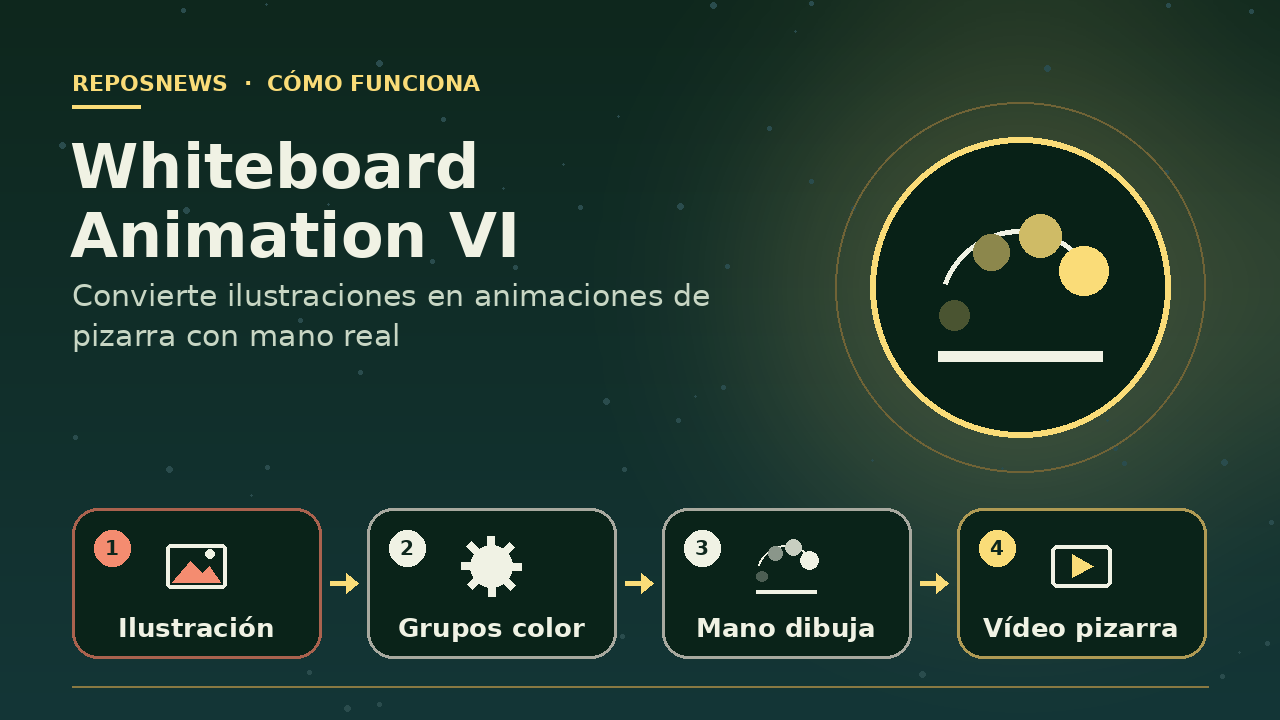
Whiteboard Animation VI is a local, Gradio-backed application built to transform illustrated images into whiteboard-style animations. It combines subject-first coloring, color clustering in Lab color space, ink-aware region boundaries, and moving photographic hands. It prioritizes the appearance of primary characters before filling in the background and exports the final output directly to MP4 format.
Requirements and Environment
The project requires a 64-bit installation of Python 3.11 or 3.12 on Windows systems. For NVIDIA CUDA rendering acceleration, a compatible NVIDIA driver is required alongside the optional `PyNvVideoCodec` package if NVENC encoding is desired. Standard CPU exports utilize `libx264` and require FFmpeg to be available in the system's `PATH`.
Installation
Run the following PowerShell commands from the repository directory to set up the virtual environment and install dependencies:
py -3.11 -m venv .venv
.\.venv\Scripts\python.exe -m pip install --upgrade pip
To enable NVIDIA CUDA GPU acceleration support, install the appropriate PyTorch components and GPU requirements:
.\.venv\Scripts\python.exe -m pip install torch==2.8.0 torchvision==0.23.0 --index-url https://download.pytorch.org/whl/cu128
.\.venv\Scripts\python.exe -m pip install -r requirements-gpu.txt
For CPU-only workflows, execute the following:
.\.venv\Scripts\python.exe -m pip install torch==2.8.0 torchvision==0.23.0 --index-url https://download.pytorch.org/whl/cpu
.\.venv\Scripts\python.exe -m pip install -r requirements.txt
Additionally, the required subject segmentation model checkpoint must be downloaded explicitly before utilizing segmentation features:
.\.venv\Scripts\python.exe scripts\download_model.pyUsage and Local Execution
You can launch the local interface by executing the `start.bat` batch script or via PowerShell:
.\start.ps1
.\start.ps1 -Port 7861
If you prefer running the server in the foreground with console logging:
.\.venv\Scripts\python.exe app.py --port 7860 --open --logYou can also integrate rendering directly inside Python scripts:
import numpy as np
from PIL import Image
from handdraw.settings import Settings
from handdraw.render import render_video

image = np.asarray(Image.open("input.png").convert("RGBA"))
settings = Settings(mode="e", duration=10, draw_percent=70, ink_percent=45)
video_path, report = render_video(image, settings)
Advantages
- Foreground separation using ISNet (SkyTNT Anime Segmentation) ensures characters remain visible early in the sequence.
- Optimized routing reduces unnecessary travel between strokes while strictly preserving subject and color order.
- Built-in caching retains recent image plans to speed up adjustments to timing and hand settings.
- Private local interface disables public sharing and Gradio analytics, binding strictly to localhost (`127.0.0.1`).
Limitations
- Network operations for downloading model checkpoints enforce rigid timeouts with no automatic retries.
- Sample illustrations included in the official documentation carry separate licensing terms and require verification prior to redistribution.
- Rendering jobs are processed serially with a pending queue size capped at a maximum of eight jobs.
Editorial Comparison and Alternatives
Unlike cloud-based whiteboard animation platforms that impose rendering quotas or recurring subscription fees, Whiteboard Animation VI provides a fully local, open-source approach leveraging local hardware acceleration (CUDA/NVENC or CPU). Other commercial or cloud alternatives provide significantly less granular control over ink-aware stroke segmentation and automated color cluster ordering.
License and Pricing
The original project code contributed by the author is dedicated to the public domain under the **CC0 1.0 Universal** license. Model weights, demonstration artwork, and third-party vendor runtime code are bound by their respective separate licenses and notices. **Official Pricing:** Not applicable; the repository is free, open-source software with no verified commercial pricing tiers established by the author.
What the Reel shows
GitHub interface and project documentation screenshots for whiteboard-animation-vi, displaying visual whiteboard animation demos and drawing modes.
The project provides a local Gradio application to transform images into animations featuring moving photographic hands.
Reel claims are distinguished from facts checked against the official article sources.
Sources and methodology
Official sources checked on the stated date. We do not claim growth without historical data or installations that have not been run.
https://github.com/letuandat131/whiteboard-animation-vi
https://github.com/letuandat131/whiteboard-animation-vi/blob/main/README.md
https://github.com/letuandat131/whiteboard-animation-vi/releases