Purpose and Concrete Use Case
This article teaches you how to use the ChatCut Agent Plugins and Model Context Protocol (MCP) server to automate video editing workflows directly from your terminal and preferred AI assistant. A concrete use case is cutting out silences, removing filler words, and adding synchronized subtitles to a talking-head video simply by asking your agent in natural language.
What It Is and How It Works
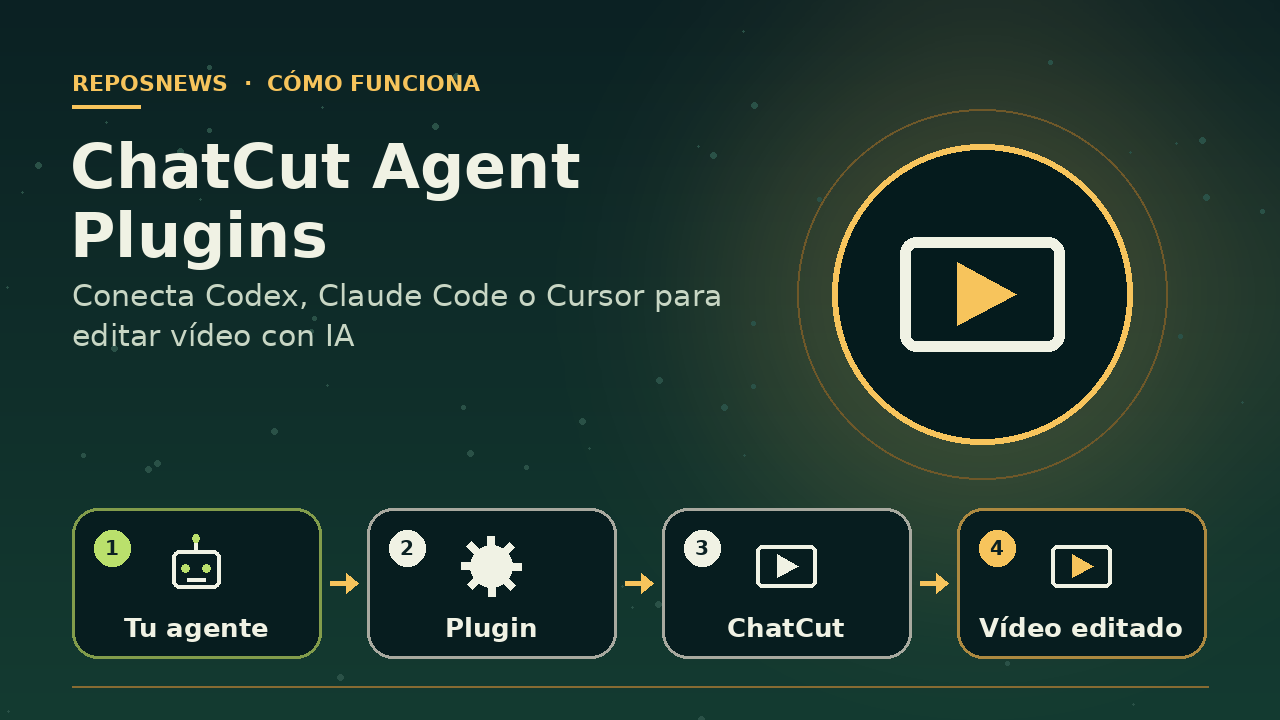
ChatCut Agent Plugins is a collection of integration packages and an MCP server developed by ChatCut-Inc. It acts as a bridge between local or remote AI assistants (such as Codex, ChatGPT, Claude Code, Cursor, Grok Bot, Gemini CLI, Google Antigravity, Kimi Work, WorkBuddy, Doubao Work, and Qwen Work) and ChatCut's multimedia processing capabilities. Under the hood, the tools import media, modify project timelines, generate motion graphics, transcribe audio, and visually verify that edits are correct.
When to Use It
- **Recording cleanup:** When you need to remove awkward pauses, filler words, and repeated takes in long-form podcasts, interviews, or lectures.
- **Rapid subtitling:** To generate subtitles with precise timestamps, animated styles, or automatic translations.
- **Timeline generation and export:** When you need to create new media assets (such as voiceovers or background music) and retrieve an editable project file.
What You Need
- An active ChatCut account.
- A compatible AI assistant (Codex with plugin support, Claude Code 2.x, Grok Bot, Cursor, Google Antigravity, Kimi Work, WorkBuddy, Doubao Work, or Qwen Work).
- Access to a ChatCut project you want to edit.
- A supported computer running macOS 13 or newer (Apple Silicon or Intel) or Windows 10 or newer (x64 architecture) if you choose the recommended desktop installation.
Where to Get It
The official repository is hosted on GitHub at `https://github.com/ChatCut-Inc/agent-plugin.git` and the analyzed version corresponds to release `v1.11.1`.
Installation
To install the recommended desktop application on macOS, open your terminal and run the official installation script:
curl -fsSL https://chatcut.io/install.sh | shTo install the recommended desktop application on Windows, open PowerShell and run the automated installer:
irm https://chatcut.io/install.ps1 | iexIf you prefer using the hosted Web plugin in Claude Code (requires Claude Code 2.1.210 or newer), add the marketplace repository and authenticate the MCP session with the following commands:
claude plugin marketplace add https://github.com/ChatCut-Inc/agent-plugin.git#main
claude plugin install chatcut@chatcut-inc
claude mcp login plugin:chatcut:chatcut
To set up the environment in Google Antigravity using the specific desktop package, run:
agy plugin install https://github.com/ChatCut-Inc/agent-plugin/tree/main/antigravity-desktopFirst Use Step by Step
1. Open your terminal or compatible AI agent application (such as Codex or Claude Code).
2. Run the installation command appropriate for your environment (as detailed in the installation section).
3. Sign in and link your ChatCut account by executing your agent's MCP authentication command (for example, `claude mcp login plugin:chatcut:chatcut`).
4. Type a natural language prompt to your agent requesting a specific action on your footage.
Common Errors and How to Solve Them
- **Authentication or MCP login failure:** Make sure to strictly follow the OAuth authorization flow provided by your specific AI client (such as `codex mcp login chatcut` or using the Plugins screen in Grok and Cursor).
- **Linux environment incompatibility:** ChatCut Desktop features require a macOS or Windows operating system with a graphical desktop. Linux and remote agents without access to that machine cannot install Desktop locally.
Limitations
- Advanced generation and media processing features consume ChatCut credits, and the agent will ask for approval before spending them.
- Web projects and original media remain separate and are not automatically migrated when switching to the desktop mode.
- Linux does not have native support for desktop application installation in this version.
Alternatives and How It Compares
Unlike traditional video editing tools based purely on manual graphical user interfaces (such as Adobe Premiere or DaVinci Resolve), ChatCut Agent Plugins exposes an MCP-based architecture that allows large language models to interact directly with timeline elements, automating repetitive workflows through conversational commands.
License and Official Pricing
This software is distributed under the **Apache-2.0** license. Regarding official pricing, the package does not specify fixed monetary rates in its open documentation, noting only that the use of generation and rendering features requires ChatCut credits tied to account consumption.
FAQ
- **Do I need Node.js or npm to install ChatCut Desktop?** No, the official macOS and Windows installers do not require Node.js or npm on the machine.
- **Can I keep both the web connection and the desktop connection active at the same time?** Connecting Desktop to the same agent may disable or replace its conflicting hosted connection; both connections are not guaranteed to stay active simultaneously.
- **What file formats can I export?** You can export MP4 video, MP3, WAV, FLAC, or AAC audio, PNG stills, Premiere Pro and DaVinci Resolve XML files, as well as CapCut-compatible drafts.
Editorial Assessment: Who It Is For and Who Should Skip It
**Who it is for:** Content creators, video editors, and developers who use conversational AI agents and want to automate tedious tasks like silence removal, subtitle generation, and transcript-based editing without leaving their terminal or development workspace.
**Who should skip it:** Users operating exclusively on Linux-based operating systems without a graphical desktop interface, or those who prefer traditional video editing interfaces based entirely on manual control and direct visual timeline manipulation.
Sources and methodology
Official sources checked on the stated date. We do not claim growth without historical data or installations that have not been run.
https://github.com/ChatCut-Inc/agent-plugin
https://github.com/ChatCut-Inc/agent-plugin/blob/main/README.md