Introduction and Purpose
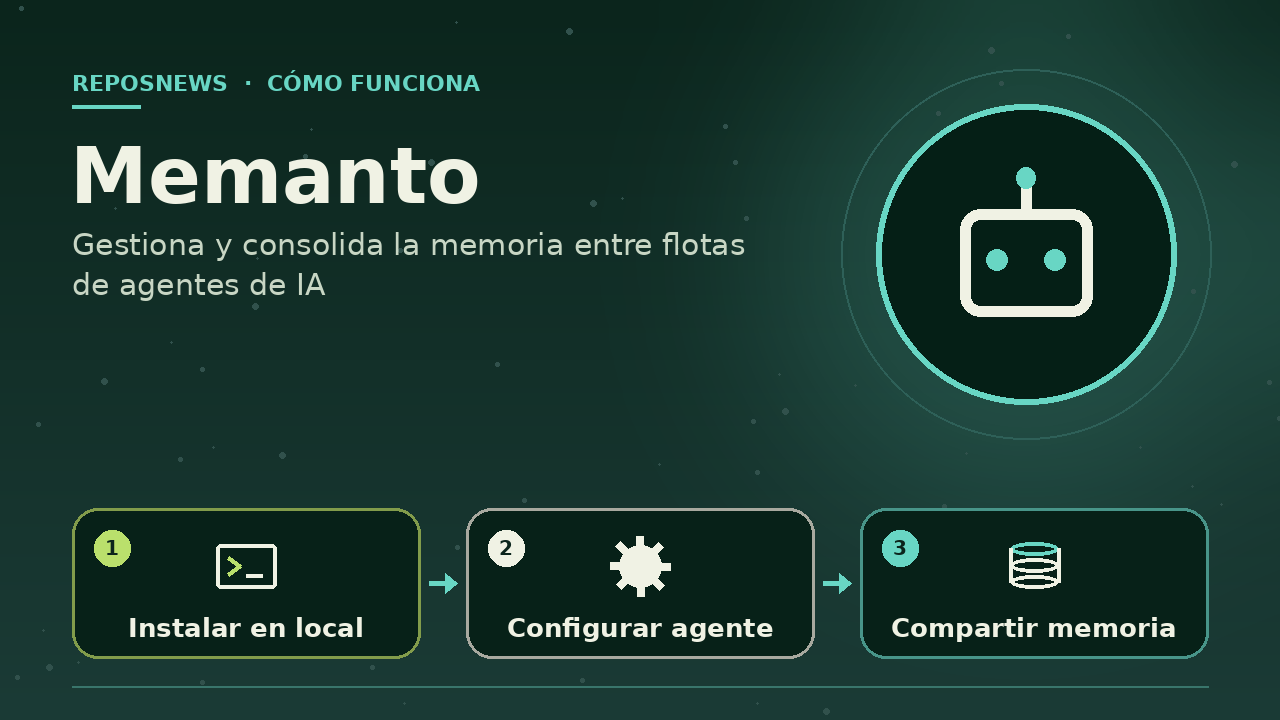
The purpose of this guide is to teach anyone opening their terminal for the first time how to set up, manage, and operate Memanto to centralize the storage and reasoning of multi-agent AI memory fleets. A concrete use case is recording an architectural decision in the terminal using `memanto remember` within a development agent, and allowing a separate code review agent to query that same information days later without duplicating databases or losing historical context.
What It Is and How It Works
Memanto is not just a simple API library or passive vector store; it acts as a secondary agent or "chief of staff" operating alongside your fleet of artificial intelligence agents. While traditional platforms simply store text strings in databases (creating disconnected silos), Memanto observes interaction streams, extracts structured knowledge, consolidates duplicates, reconciles contradictions in a versioned manner instead of blindly overwriting them, enforces expiration policies, and supplies minimal relevant briefs to your agents before they execute any actions.
The retrieval engine uses an information-theoretic semantic approach powered by local containers or optional cloud services, enabling full interoperability via the open Open Knowledge Format (OKF).
When to Use It
- When you operate multiple tools or agent environments (such as Claude Code, Cursor, and custom scripts) and need them to share a coherent state of knowledge.
- When you need to manage memory expirations and formal retention policies to prevent historical data accumulation from generating noise or unresolved contradictions across your fleets.
- When you require strict auditing of decisions made by your agents, complete with timestamps, confidence scores, and full provenance tracking for every stored belief.
What You Need
To run Memanto in local mode (On-Prem), you need Docker installed and a compatible runtime environment. For Python-based installations, you need pip and access to a command-line terminal on supported operating systems (macOS, Linux, or Windows). No mandatory external accounts or API keys are required for local operation.
Where to Get It
The official project repository and source code can be found on GitHub at `moorcheh-ai/memanto` (https://github.com/moorcheh-ai/memanto), with package distributions available via PyPI (`memanto`), npm (`@moorcheh-ai/memanto`), and Go (`github.com/moorcheh-ai/memanto/sdks/go`).
Installation
Initial installation of the Python package is performed directly from the terminal by running the standard package management command:
pip install memantoOnce the base package is installed, you can initialize the configuration by running the main command without arguments in your local terminal:
memantoThis interactive command will guide you to select between "On-Prem" mode (which configures Docker and Ollama locally without requiring external accounts) or "Cloud" mode using a free API key.
First Use Step by Step
1. Connect your preferred development environment or agent by running the appropriate integration command in the terminal:
memanto connect claude-codeThis command links your agent's interface so it begins sharing the managed state estate.
2. Record a new structured knowledge snippet by specifying its type in the terminal:
memanto remember "Auth migrated to JWT — session cookies deprecated" --type decisionThis command saves the decision in a typed manner within the active namespace.
3. Query the registered memory from any other agent or session using a retrieval command:
memanto recall "how does auth work"This command performs a semantic search across the storage and returns the relevant context.
4. Generate a grounded answer directly from the retrieved context without consuming additional external API keys:
memanto answer "why did we drop session cookies?"This command processes the query and extracts the exact answer based on previously stored memory.
Common Errors and How to Solve Them
- **Failure to connect to the local backend:** If you use On-Prem mode and encounter communication errors, verify that the Docker service is active and that the required containers are running on your machine.
- **Version dependencies in MCP integrations:** If you experience errors when interacting with Model Context Protocol tools, make sure you are using a package version equal to or higher than specified in the project requirements (`memanto>=0.2.31`).
Limitations
- Performance scores and metrics published in public retrieval benchmarks (such as LongMemEval or LoCoMo) heavily depend on the reader models and judges used, and should therefore be treated as directional rather than absolute.
- Automatic expiration behavior requires explicit enablement of scheduled routines via the daily scheduling command; otherwise, memories will not expire on their own.
Alternatives and How It Compares
Unlike traditional vector stores (such as databases with embedding SDKs) that are solely dedicated to persisting data through basic write and retrieval operations, Memanto acts as an autonomous agent capable of curating, consolidating, expiring, and reconciling contradictions in a structured manner. Compared to other agent memory tools, it provides an open interchange format based on readable Markdown (Open Knowledge Format) that avoids vendor lock-in.
FAQ
- **Do I need an account or API key to use Memanto?** No. In local mode (On-Prem) you can operate entirely without external accounts or keys using Docker and a local engine like Ollama.
- **What happens when two agents hold contradictory beliefs?** Memanto does not overwrite information silently; instead, it versions both beliefs and surfaces the contradiction for subsequent review and resolution.
- **How do I export stored data?** You can export the entire structured memory state in portable Markdown format using the export command with support for the OKF bundle.
Editorial Assessment
### Who It Is For
It is ideal for multi-agent system developers, AI platform engineers, and technical teams seeking data sovereignty, complete decision traceability, and automated lifecycle management of memory across different development tools.
### Who Should Skip It
It should be skipped by developers looking for a low-level traditional vector database for raw queries without agentic logic, or by those operating strictly within closed ecosystems where native platform tools are a mandatory requirement.
Sources and methodology
Official sources checked on the stated date. We do not claim growth without historical data or installations that have not been run.
https://github.com/moorcheh-ai/memanto