Purpose and use case
This editorial guide explains to someone opening a first terminal what the official package mromidev/claude-animated-shorts is for and how to evaluate it without confusing project claims with verified tests.
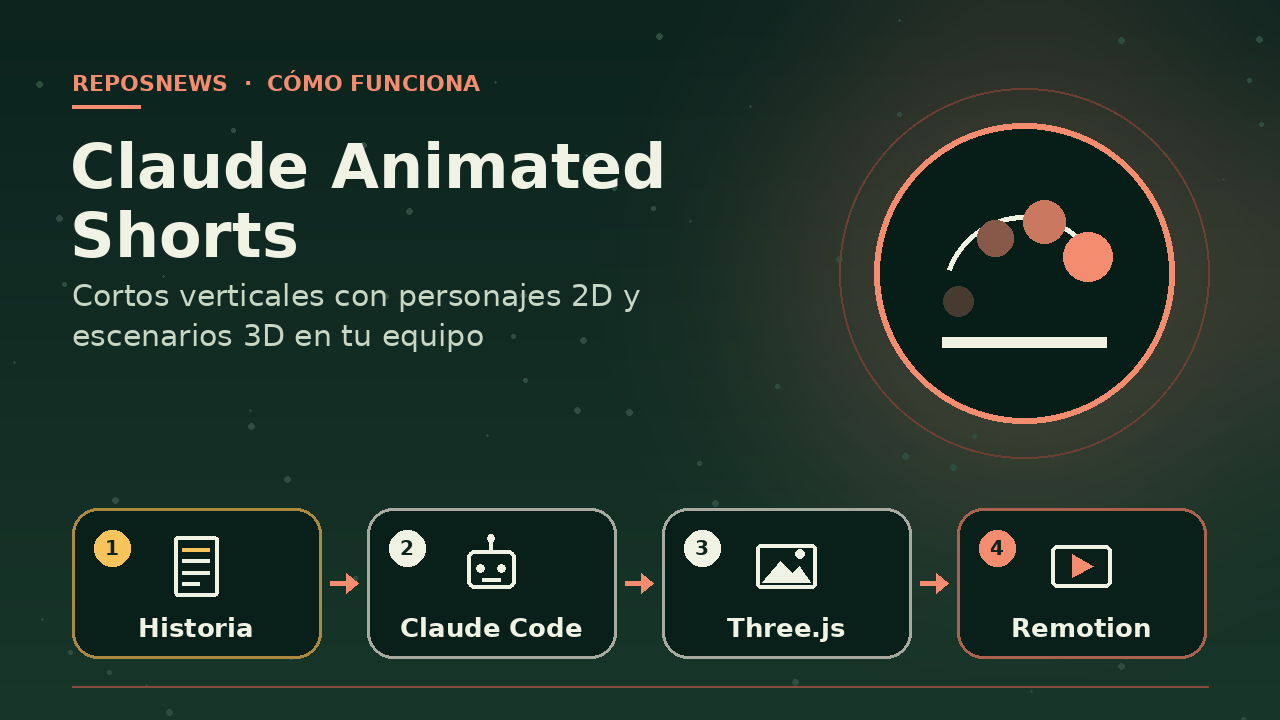
The concrete purpose is to make a 55 to 70 second vertical animated short, with 2D characters in a 3D world, rendered with three.js inside Remotion on the user's own PC.
A real use case is turning the story of the 1831 Broughton bridge into a 67 second short for a vertical audience. That workflow fits when the creator has a local story, a narrative voice and wants style control without an AI video generator.
What it is and how it works
It is a free Claude skill. It is not an AI video generator that directly produces video. Claude drives a workflow: topic and facts, script, voice, shot plan in story.ts, stills, render. Then Remotion compiles a React composition with three.js. Audio is synthesized. The package includes templates, scripts, references and reports.
The project claims it worked on The Bridge That Fell for a Song, a 67 second short. Note: that is a package claim, not an independent verified test reviewed here.
Architecture in plain words: the model prepares instructions and plan; Remotion generates frames; three.js draws the 3D scene; ffmpeg and Python help. Agents check frames against reports and reference frames.
The skill describes the full pipeline, rules, fixes and final look values. The bridge template includes world, characters, ink, lens blur, grade, story and camera. References and reports measure motion, depth, textures, characters, lighting, outlines and grade.
The expected result is a final vertical short with voice, SFX, march music and audio mix. The package does not guarantee automatic quality; agents check frames. Separating claims from tests is key. The README reports one known proof, but no independent verified test is available here.
When to use it
It can be used for educational history, personal storytelling or animated explanation. A realistic example is a short about a historical character or local legend. Another is an animated tale with a moral. Another is a visual explanation of a process.
Three realistic uses: educate, narrate, explain. For each, the user needs their own topic and should not copy reference content.
It is not the best option if the user wants a single AI generation tool or cannot run a local workflow with Remotion, Node, Python and ffmpeg.
What you need
You need Remotion with @remotion/three, Node, Python 3 and ffmpeg. You also need Claude Code. The skill is copied to ~/.claude/skills/cartoon-3d-short/. Set REMOTION_TMP to a folder on a big drive. The package does not document specific versions of Node, Python or ffmpeg.
Where to get it
The official repository is mromidev/claude-animated-shorts. The URL is https://github.com/mromidev/claude-animated-shorts. Hosted access is not documented in the package. Local installation is documented.
Installation
The instructions tell you to copy this folder to ~/.claude/skills/cartoon-3d-short/, either by cloning or downloading the ZIP. No exact commands were found in the README. The copy is done in the terminal where appropriate. Then Remotion is prepared.
Use the cartoon short skill and make a short about …First use step by step
In Claude Code say: Use the cartoon short skill and make a short about … Claude follows SKILL.md: topic and facts, then script, voice, shot plan in story.ts, stills, render. Agents check frames against reports and frames, and the final 2K render and sound mix are expected.
Basic steps: prepare topic and facts; review script; generate voice; create shot plan; generate stills; render. Each step depends on the skill. The expected result depends on Claude; no guarantee exists.
Common errors and how to solve them
Documented requirements are Remotion with @remotion/three, Node, Python 3 and ffmpeg. If something is missing, install it in the project environment. If REMOTION_TMP is not on a big drive, change it. If the skill is not detected, copy it to the correct path. No public error list exists; the following solutions are clearly deduced.
Limitations
Everything renders on the user's own PC. It does not use an AI video generator. Reference frames are for style study. Story, characters and voice should be your own. The license is MIT for code and docs; reference frames are for style study.
Alternatives and how it compares
Remotion alone, known commercial AI video generators, or 2D animation tools. The factual difference is that Remotion is an open source video library for React, while AI generators create video from text or image. The package uses Remotion and three.js.
FAQ
1. What is it? A free Claude skill. 2. Does it use an AI video generator? No, it uses Remotion and three.js. 3. Can it be used without a terminal? No, it requires a local environment. 4. Is there pricing? The package says free; no separate official verified price is available.
Editorial assessment
It is for Claude Code users who already have or want to set up Remotion, Node, Python and ffmpeg. Skip it if the user only wants a quickly generated AI video or cannot run the local workflow.
Sources and methodology
Official sources checked on the stated date. We do not claim growth without historical data or installations that have not been run.
https://github.com/mromidev/claude-animated-shorts
https://github.com/mromidev/claude-animated-shorts/blob/main/README.md