Purpose
This guide shows you how to install the Anthropic Cybersecurity Skills library so your AI agent can perform structured security tasks like memory forensics, threat hunting, and incident response.
Concrete Use Case
You are a junior analyst who needs to analyze a suspicious Windows memory dump for credential theft. After installing these skills, you can ask your AI agent to follow a step-by-step Volatility3 workflow instead of guessing commands.
When to Use It
Use this library if you have an AI coding assistant—such as Claude Code, GitHub Copilot, Cursor, or OpenAI Codex CLI—and you want it to execute cybersecurity tasks using proven analyst workflows rather than generic web search results. It is designed for people who know how to open a terminal but may not know which forensic tool to run next.
What You Need
- A computer with a terminal (macOS, Linux, or Windows with WSL).
- Node.js installed if you use the npx method (version 16 or newer is typical; exact requirement is not documented in the source).
- An AI agent that supports the agentskills.io standard. The source lists Claude Code, GitHub Copilot, Codex CLI, Cursor, Gemini CLI, and 20+ other platforms. Check your agent's documentation for the exact list.
- Basic familiarity with running commands in a terminal.
Where to Get It
The official repository is at https://github.com/mukul975/Anthropic-Cybersecurity-Skills. The project homepage is at https://mahipal.engineer/Anthropic-Cybersecurity-Skills/. The latest tagged release is v1.3.0, published June 22, 2026. This is an independent community project, not affiliated with Anthropic PBC.
Installation
There are two documented installation paths: a hosted one and a local one.
**Hosted access (no installation):** The project offers a Playground at https://casky.ai/ where you can run cybersecurity skill exercises against real targets without installing anything. This is a waitlist service and is separate from local installation.
**Local installation (recommended):** Open your terminal and run one of these commands.
Option 1 — npx (recommended if you have Node.js):
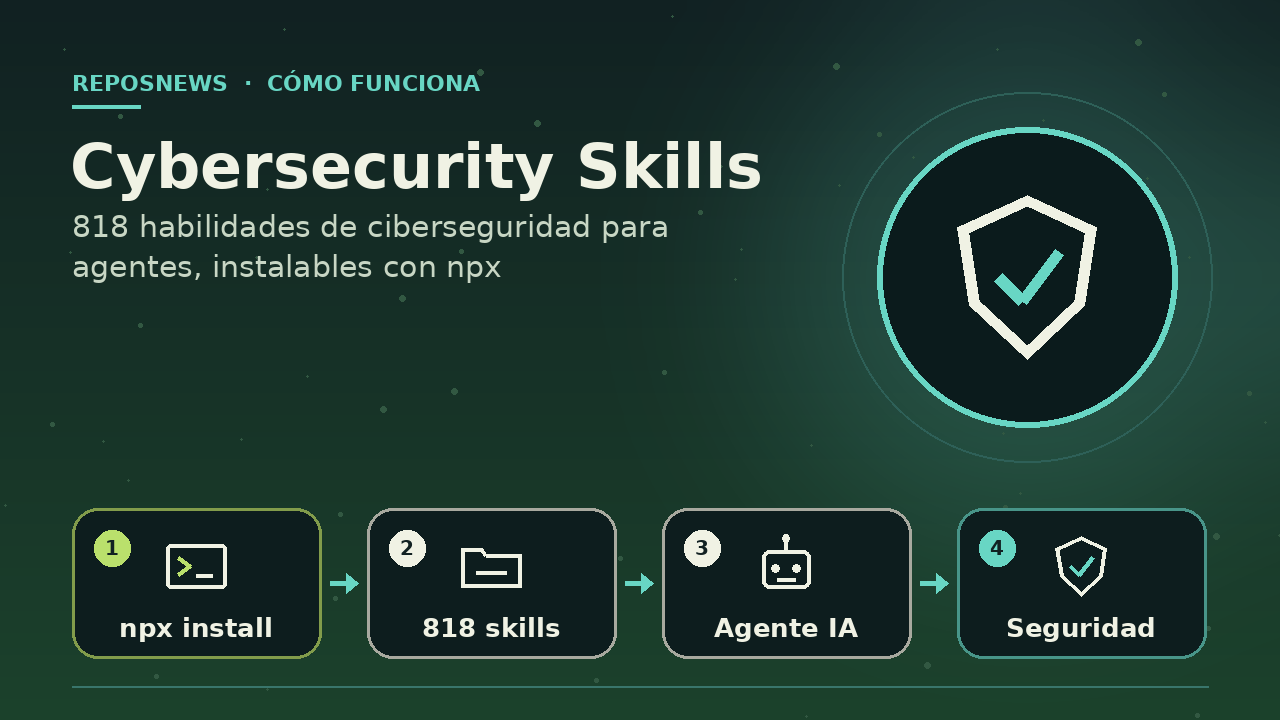
npx skills add mukul975/Anthropic-Cybersecurity-Skills
This command downloads the skill package via the agentskills.io tooling and registers it with your AI agent. It expects the skills CLI to be available through npx, which requires Node.js 16+.
Option 2 — Git clone:
git clone https://github.com/mukul975/Anthropic-Cybersecurity-Skills.git
cd Anthropic-Cybersecurity-Skills
This clones the full repository into a folder named Anthropic-Cybersecurity-Skills and moves you inside it. After cloning, point your agent at the skills/ directory or follow your agent's documentation for loading skills from a local path.
First Use
Once installed, your AI agent can scan the 818 skill frontmatters (about 30 tokens each) and load the most relevant ones. For example, if you type "Analyze this memory dump for signs of credential theft," the agent should identify and load skills like performing-memory-forensics-with-volatility3, hunting-for-credential-dumping-lsass, and analyzing-windows-event-logs-for-credential-access, then follow the documented Workflow section step by step.
Each skill contains a SKILL.md file with YAML frontmatter (name, description, domain, tags, framework mappings) and a Markdown body with sections: When to Use, Prerequisites, Workflow, and Verification. The references/ folder holds standards mappings and deep-dive procedures, and scripts/ contains runnable helper scripts.
Limitations
- The library includes offensive and dual-use techniques (red-team C2, phishing simulation, exploitation). You must only use them against systems you own or have explicit written permission to test, and you must comply with all applicable laws.
- The exact Node.js version requirement for npx is not documented in the source material; you may need to check the agentskills.io website for current prerequisites.
- Some skills reference external tools (Volatility3, BloodHound CE, garak, etc.) that you must install separately; the library provides workflows, not the tools themselves.
- Framework mappings are validated against MITRE ATT&CK v19.1, NIST CSF 2.0, MITRE ATLAS 2026.07, MITRE D3FEND v1.4.0, NIST AI RMF 1.0, and MITRE F3 v1.1, but the source notes that ATT&CK v19's Defense Evasion split into Stealth and Defense Impairment is reflected in the README and will be updated in a future release.
- The library is licensed under Apache 2.0, which is permissive for personal and commercial use, but you are solely responsible for how you use the skills.
License and Pricing
This project is licensed under the Apache License 2.0. It is free and open source. No pricing information is available because the library is entirely free; there are no paid tiers or subscription costs. The Casky.ai Playground may have separate pricing, but verified pricing for that service is unavailable from the source material.
What the Reel shows
Display of the GitHub repository for Anthropic Cybersecurity Skills featuring security domain tags and licensing information.
The presenter claims that the free repository prevents AI project hacking.
Reel claims are distinguished from facts checked against the official article sources.
Sources and methodology
Official sources checked on the stated date. We do not claim growth without historical data or installations that have not been run.
https://github.com/mukul975/Anthropic-Cybersecurity-Skills
https://github.com/mukul975/Anthropic-Cybersecurity-Skills/blob/main/README.md
https://github.com/mukul975/anthropic-cybersecurity-skills/releases